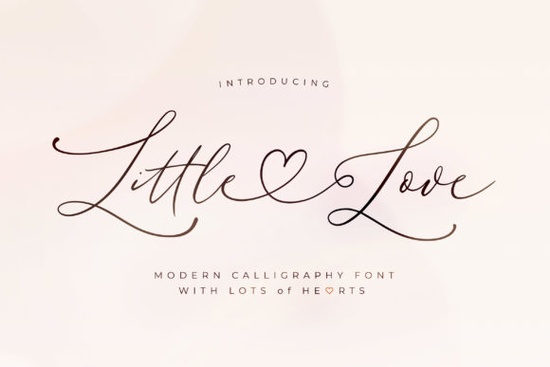
If you're looking for a delicate script font that adds elegance without overwhelming your design, the Little Love Font is worth a closer look. With its clean lines, graceful curves, and smooth flow, it’s especially well-suited for wedding invitations, greeting cards, branding for boutique businesses, or even subtle embellishments on print-on-demand products like mugs and tote bags.
What makes Little Love stand out among other script fonts is its PUA (Private Use Area) encoding. This means all the extra glyphs like swashes, alternate characters, and decorative endings are built right into the font file and accessible through most design software without needing additional plugins or workarounds. If you’ve ever struggled to activate fancy letterforms in other fonts, this feature alone can save you time and frustration.
When should you use a thin, refined script like Little Love?
Thin, graceful scripts work best in designs where subtlety and sophistication matter more than bold impact. Think of:
- Wedding stationery (save-the-dates, menus, place cards)
- Hand-lettered-style quotes for wall art or social media graphics
- Logo accents for beauty brands, bakeries, or floral shops
- Personalized gifts like engraved jewelry tags or custom notebooks
Because of its light weight, avoid using Little Love for small text sizes or low-resolution prints it shines when given space to breathe. Pair it with a simple sans-serif (like Montserrat or Lato) to create contrast and maintain readability.
How does it compare to other popular script fonts?
Script fonts come in many personalities from bouncy and playful to formal and calligraphic. Little Love leans toward the latter: restrained, polished, and timeless. If you enjoy its refined aesthetic, you might also appreciate fonts like Hello Honey, which offers a slightly more whimsical take on elegant handwriting, or Family Font, known for its warm, organic feel.
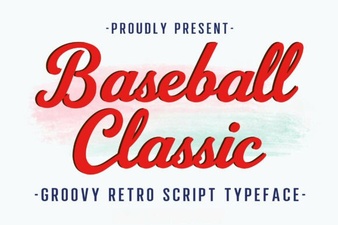
For something with more dramatic flair, Wonderful Butterfly brings in ornate swashes and dynamic movement, while Baseball Classic trades delicacy for vintage sports charm. And if you prefer high-contrast, editorial-style scripts, Black Sample delivers bold drama with sharp terminals.
Each of these serves a different mood but if your project calls for understated grace, Little Love holds its own.
Is it beginner-friendly for crafters and small business owners?
Absolutely. Thanks to its PUA encoding, even users working in basic programs like Canva (with font upload enabled), Silhouette Studio, or Cricut Design Space can access special characters easily often by simply switching to a different stylistic set or enabling OpenType features if supported.
That said, always test how the font renders in your specific software before committing to a large batch of products. Some platforms may not fully support advanced typographic features, so previewing is key.
You can explore the full range of what Little Love offers by checking out the official listing: Little Love Font.
Tips for getting the most out of this font
To make your designs feel intentional and professional:
- Avoid overusing swashes. One or two per word is usually enough too many can look cluttered.
- Increase letter spacing slightly if the default feels too tight, especially for uppercase or mixed-case layouts.
- Use it at larger sizes. Its thin strokes lose definition below ~18pt in digital formats and even higher for physical prints.
- Stick to light backgrounds. Dark or busy textures can swallow the fine details.
And remember: less is often more. A single line of text in Little Love as a signature-style accent can elevate an entire layout without competing for attention.
Ready to try it? Before downloading, consider your current project needs does it call for quiet elegance or bold expression? If it’s the former, Little Love could be the perfect finishing touch.
Quick checklist before you buy:
- Confirm your design software supports OpenType features (or test glyph access)
- Check licensing terms if you plan to use it for commercial products
- Preview it alongside your brand fonts or existing design palette
- Look at real-world mockups (many Creative Fabrica listings include them)
 Design Your Baseball Project with Classic Fonts
 Introducing the Stay Wonderful Font Collection
 Creative Fonts for Heartfelt Design Projects
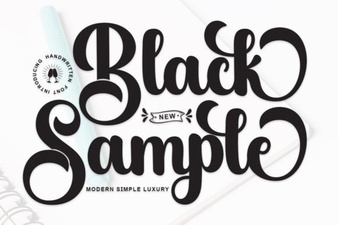 Black Sample Font: Design Projects & Creative Uses
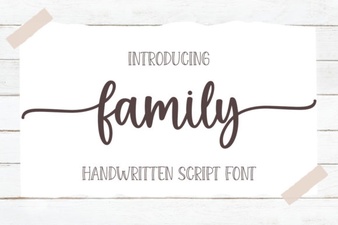 Craft Your Brand with Family Font Projects
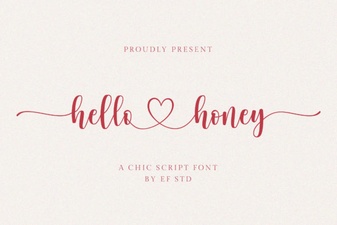 Hello Honey Font: Adding Sweetness to Designs